Your books, done in minutes a week.
No debits, no credits, no QuickBooks manual. Nummio sorts every transaction and asks you plain-English questions — you tap approve. One business or eight: one login, one queue, one bill that doesn't climb every August.
Your books sort themselves. You just say yes.
This is the real review queue — the same queue the product ships. Most weeks it's a few minutes' work. Batch-accept what it's confident about, override anything with one click. Try it right here: j/k to move, a to accept, u to undo.
Open the app and know where the money is.
Cash on hand across every account, where it goes over the next 30 days with the lowest point named, and the few things that need you — each with a time estimate and a button that does it in place.
How Today works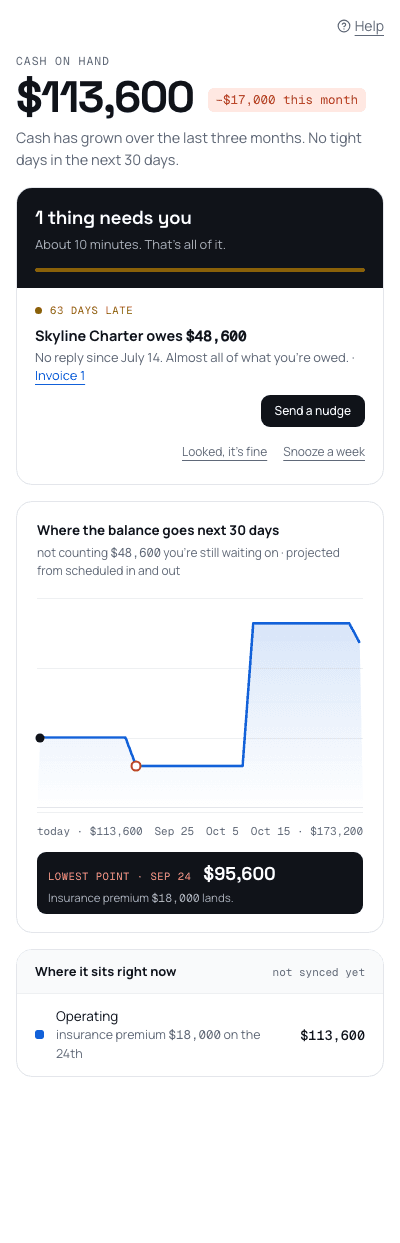

Start your 30-day trial and see this screen on your own numbers.
Forward a receipt. It's filed before you've closed the email.
Your books get their own email address. Email a photo or a PDF and Nummio reads it, fills in the vendor and amount, picks a category, and adds it to your queue with its reasoning shown — nothing posts until you say yes.
Plain English on top. Real accounting underneath.
You see "Office Depot — booked to Office Supplies, paid with Business Visa." Your accountant can flip the same transaction to the actual journal entry, any time. Real double-entry books — you just never have to think in debits and credits.
Wrap up the month in an afternoon, not a week.
Month-end is a plain-language checklist, not a ritual. Walk through the same close flow the product ships — each step tells you what it needs and why.
A plan you can actually keep.
Eight questions with the answers already filled in from your own books. The sheet says what happens if it holds; once it's live it tells you which line is the whole story — and never tells you to cut anything.
How the plan works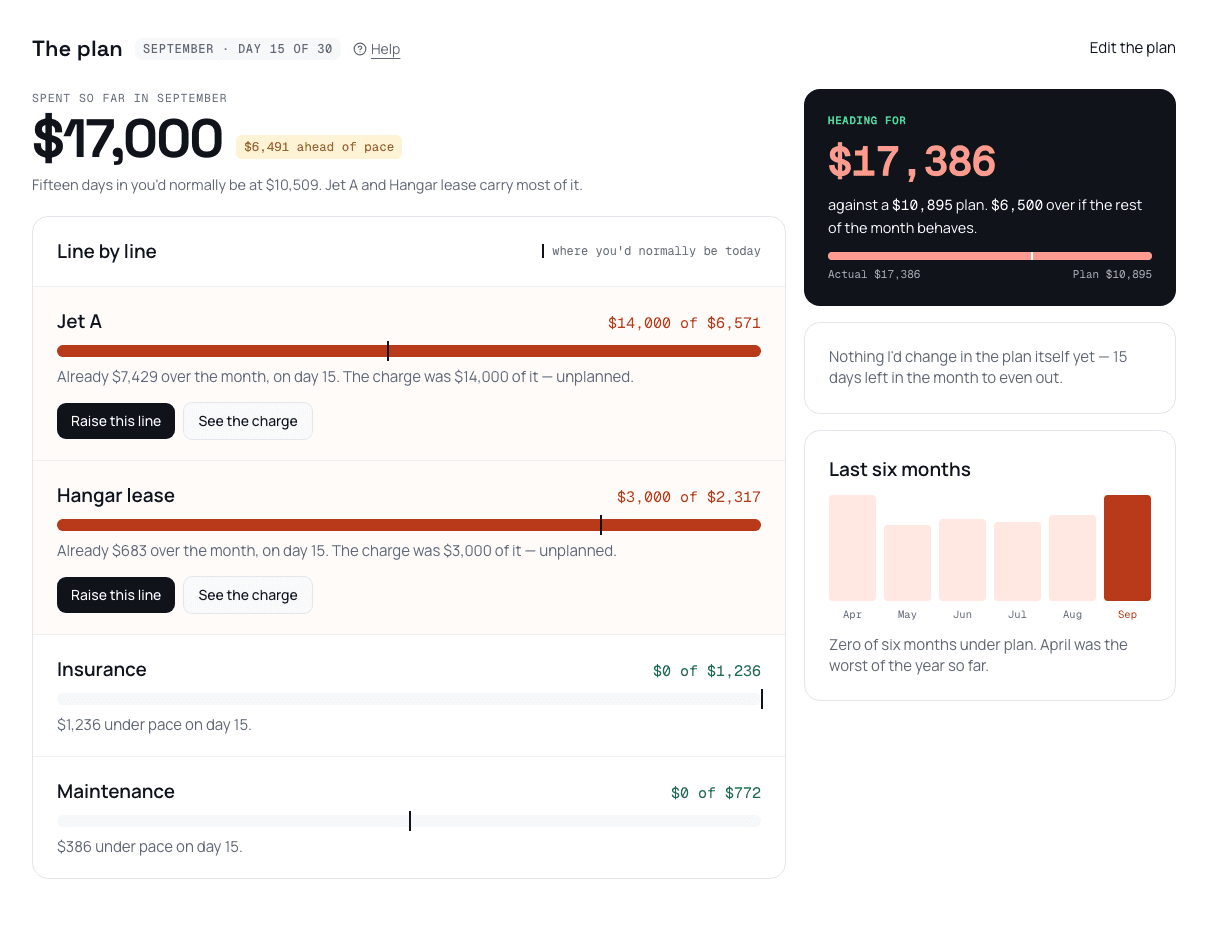
Run more than one business? Still one login.
No second subscription, no spreadsheet stitching statements together. Every business you own lives in one account — the same review queue and close for each, one click apart — and a combined income statement with the between-company activity handled automatically. Watch three QuickBooks files become one set of books.
Meridian Consulting LLC
Operating company
Meridian Holdings LLC
Holding company — charges a management fee
Riverside Property LLC
Property LLC — bills rent to the operating company
Priced by the businesses you run. Nothing else.
- Foundation$29/ month1 business
- Portfolio$89/ monthup to 3 businesses
- Holdings$189/ monthup to 8 businesses
Unlimited users on every plan. Your accountant's seat is free, forever. The price you sign up at holds for 24 months, from the day you sign up.
Everything each plan includes, and what happens at the limitsSee it on your own books.
Everything above runs on seeded data, live in your browser. The trial takes your QuickBooks Desktop export or a transaction CSV and shows you your own numbers — 30 days, no card.